
Cobblemon adds Pokemon to Minecraft. Our modpack installs it for you, along with every other mod you need, and connects you straight to PokeSMP.
Install with CurseForge
CurseForge installs and launches the modpack for you. Get CurseForge, then follow along.
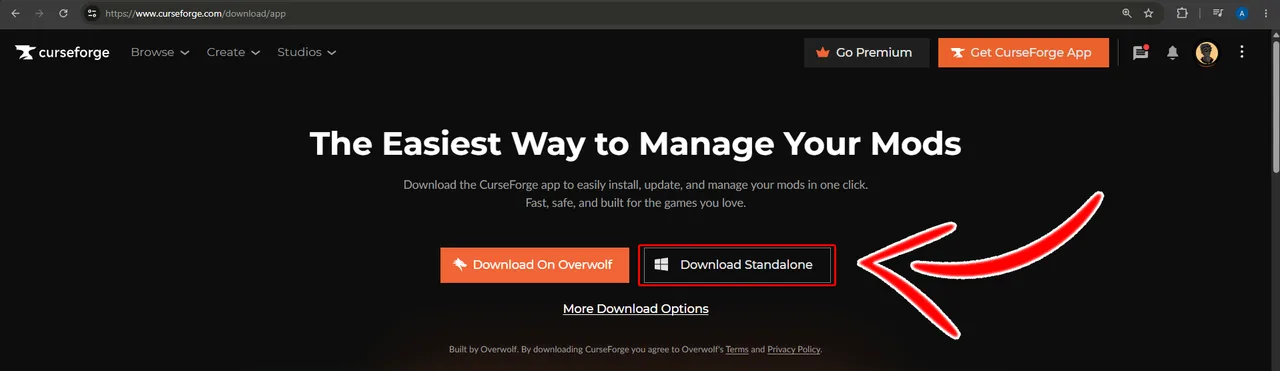
Download the CurseForge app
CurseForge is the free app that installs and launches the modpack for you. Download it and run the installer, picking Download Standalone unless you already use Overwolf.
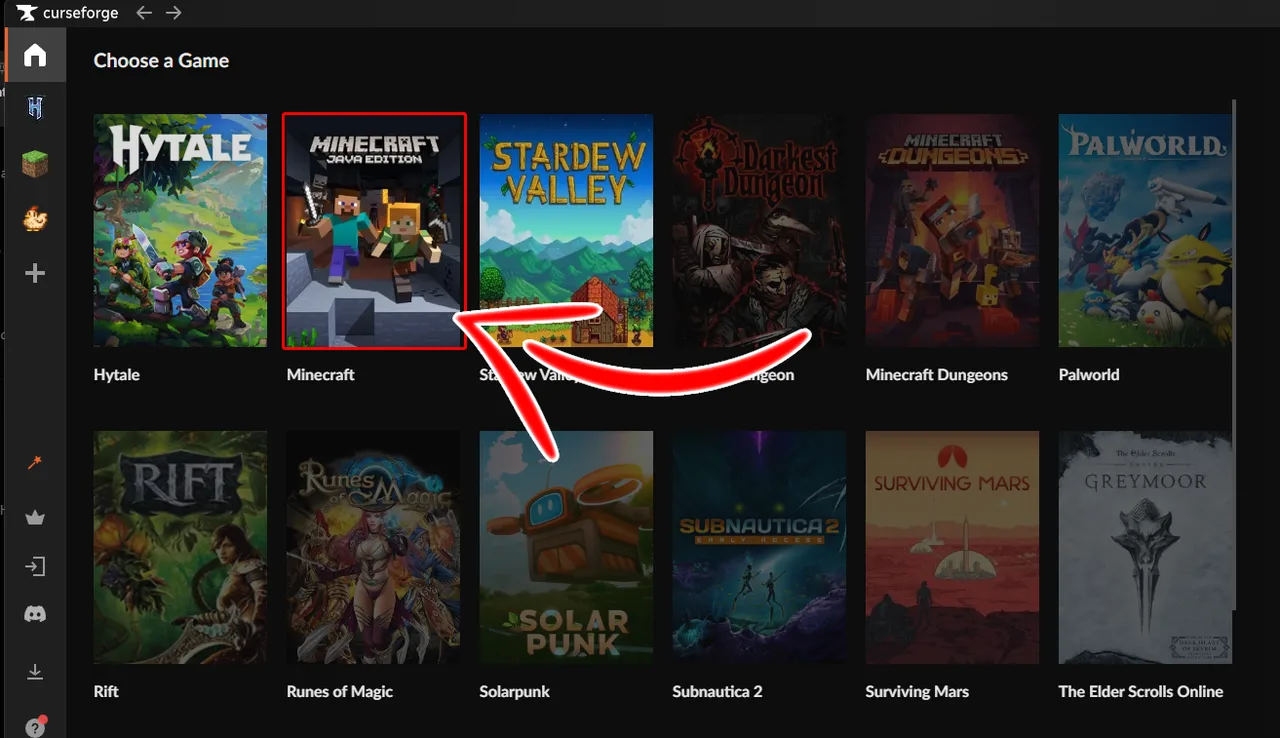
Pick Minecraft
Open CurseForge and choose Minecraft from the list of games. It finds your existing Minecraft install on its own, and will ask you to sign in with your Microsoft account so it can launch the game later.
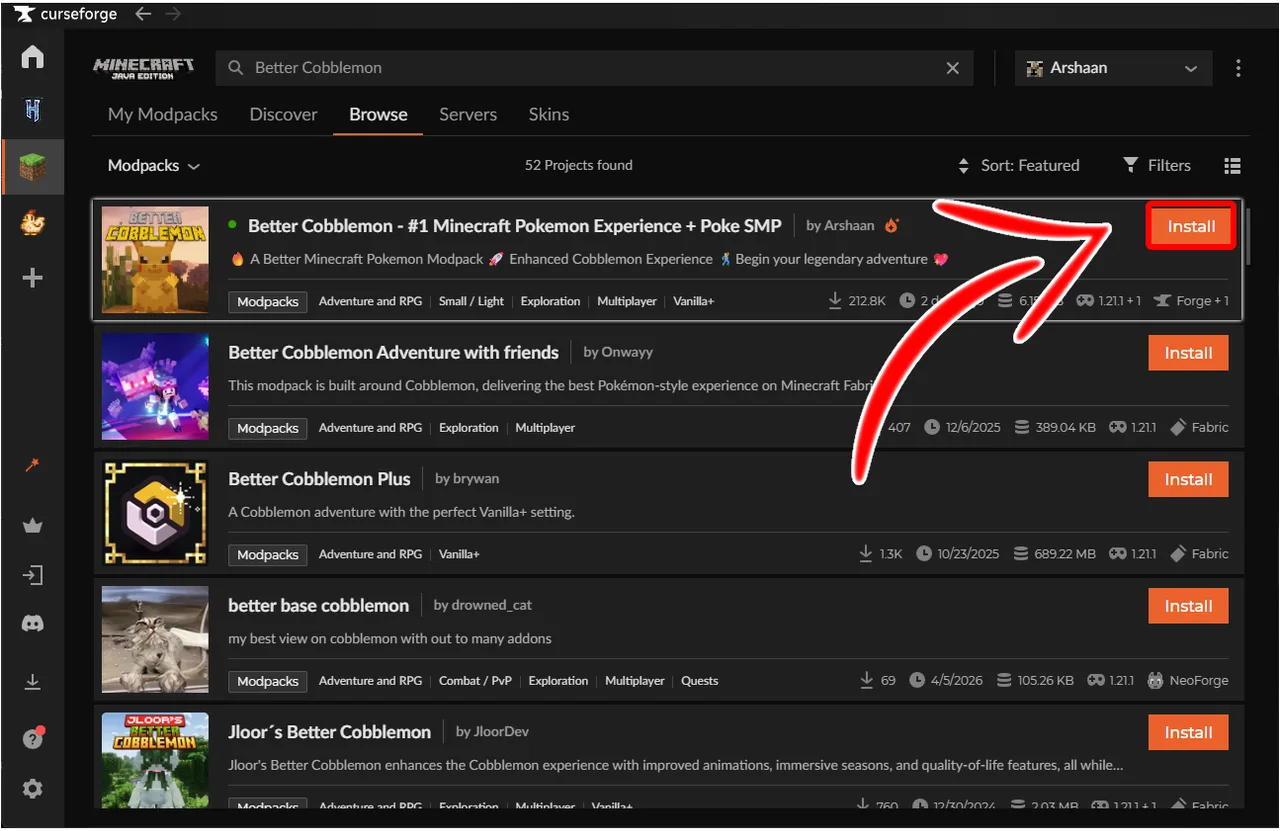
Install Better Cobblemon
Open Browse Modpacks and search for Better Cobblemon. Several packs have similar names, so pick the one by Arshaan and hit Install. You can also install straight from its CurseForge page.
Press Play
Click Play on Better Cobblemon in My Modpacks. CurseForge launches Minecraft with the right Java version already configured, and you land on the pack's own title screen.
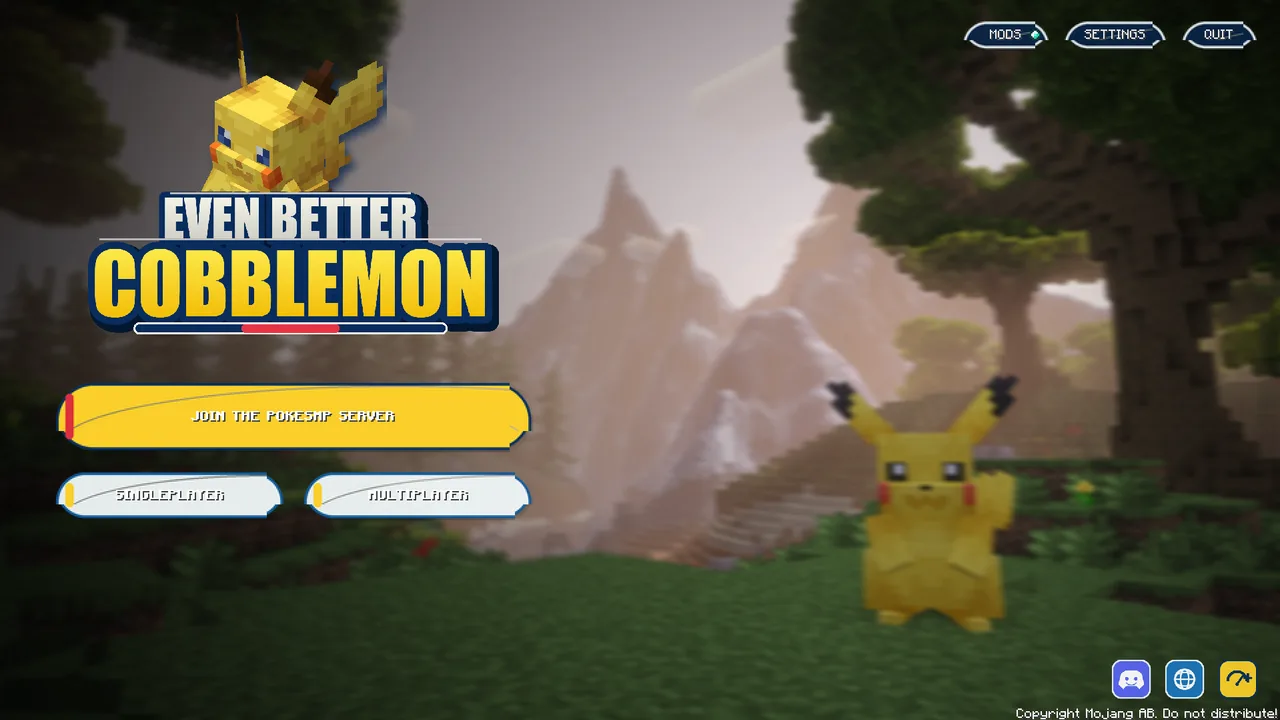
Join PokeSMP
Hit Join the PokeSMP Server on the title screen. No address to type and no server to add, the pack connects you straight to us.
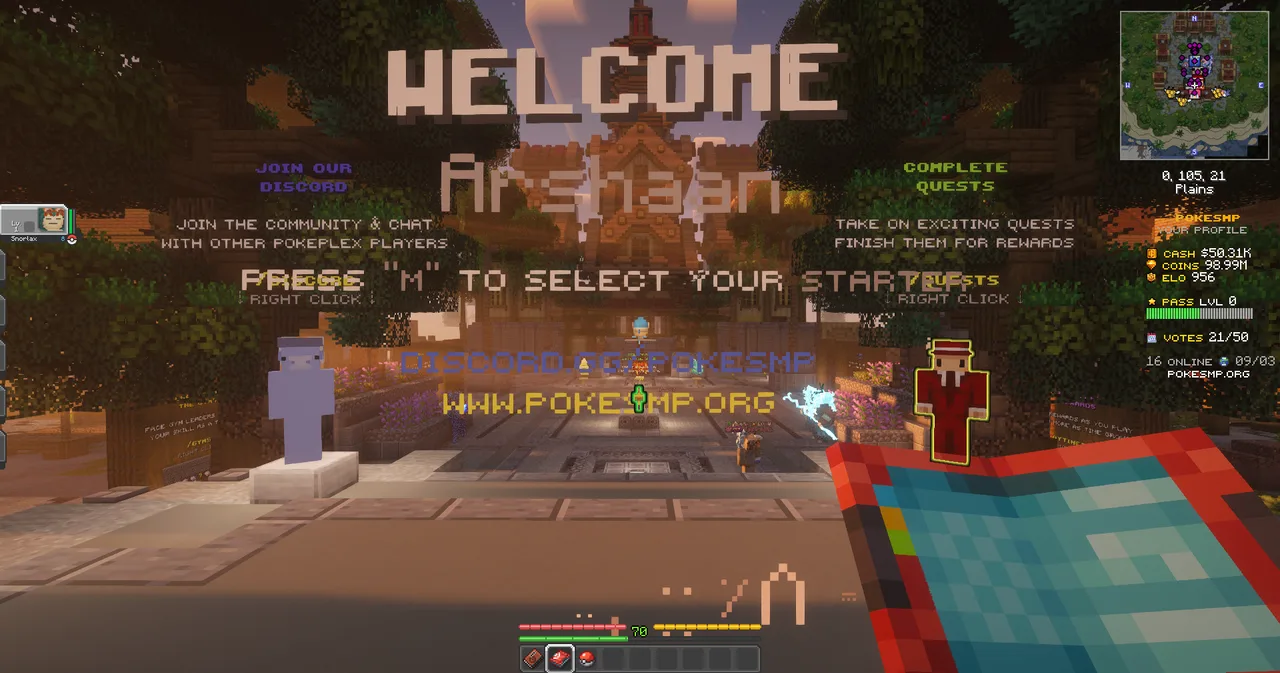
Playing on your own install instead? Add the server manually:
If something goes wrong
I bought Minecraft but the modpack will not launch
Open the official Minecraft launcher once, sign in, and start Java Edition normally. CurseForge needs a Java Edition install to work from.
The game crashes while loading
Give it more memory. In CurseForge open Settings, then Minecraft, and raise the allocated memory to 4 GB or more.
Search shows lots of similar packs
Pick the one named Better Cobblemon by Arshaan. Other packs have similar names and will not connect you to us.
It says my version is out of date
Open the pack in CurseForge and update it to the newest version, then press Play again.